WordPress & WooCommerce repair
Get your website
working again.
Broken forms, a failed update, or a website that will not load? Tell Mike what happened. XMLA will review the problem and email you a clear repair scope and quote.
- $750 repair sprint for an agreed list of fixes
- Firm time allowance confirmed in writing before work starts
- No hosting move required to request help
We confirm the fix list and firm time allowance before your $750 sprint starts. Work beyond that scope or allowance requires a separate quote and your approval.

A focused project. A clear price.
$750 website repair sprint
An agreed list of fixes with a firm time allowance, confirmed in writing before work begins. Send us the issues so we can confirm whether a sprint is the right fit.
- Agreed fix list and a firm time allowance
- Clear priorities before work starts
- Extra work quoted separately and approved by you
Real XMLA projects
Built for businesses like yours.

NewFlowPlumbing.com
A local service business with a clear customer inquiry path.
View project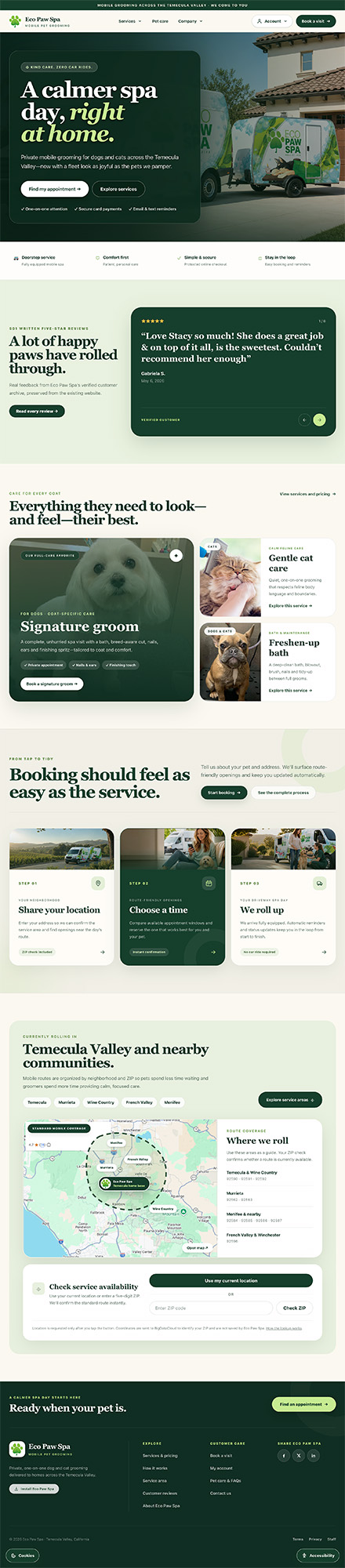
EcoPawSpaTemecula.com
A mobile service business with a polished online presence.
View project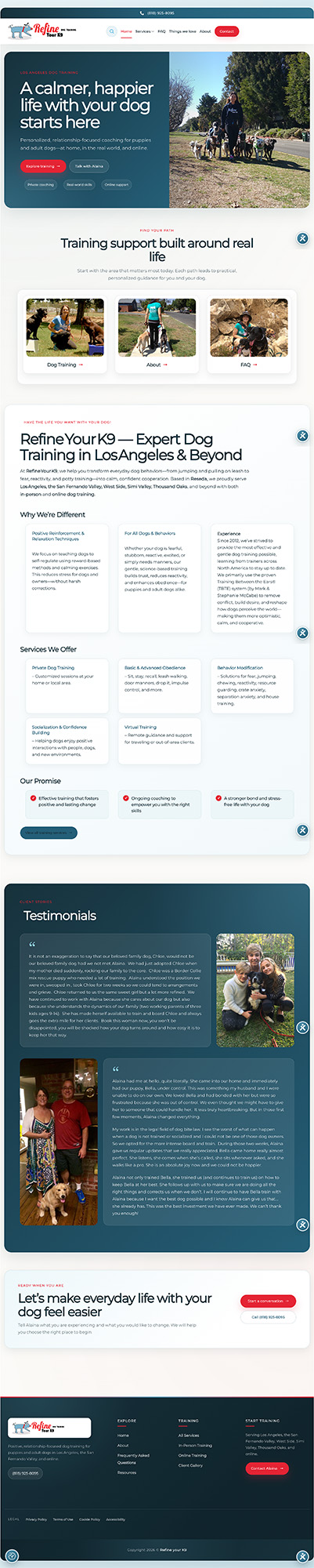
RefineYourK9
A service-led website that explains the business and its offering.
View projectExamples of XMLA website work. Your project is scoped to your own goals and requirements.
Existing client? Use your usual support channel for help with your current services.
What’s getting in your way?
WordPress broke after an update.
Plugin conflicts, fatal errors, blank pages, or an admin area you can’t reach.
Customers can’t get through.
Contact forms, email notifications, booking links, or a WooCommerce checkout that needs attention.
The site looks hacked.
Unexpected redirects, injected content, malware warnings, or suspicious access. Start with careful triage.
It’s slow, offline, or showing warnings.
Hosting, SSL, DNS, migration problems, or pages that keep timing out.
My developer disappeared.
We can review the site, document the next steps, and help untangle the handover.
A repair starts
with a diagnosis.
We’ll review the symptoms, available access, and backup situation before proposing the work. Pricing and timing depend on what we find.
If a refresh or rebuild makes more sense, we’ll explain why. If a focused repair is enough, that’s the plan.
Do I need to move my hosting?
No hosting move is required to request a repair. If hosting contributes to the problem, we’ll explain your options.
Can you promise a same-day fix?
No. We first need to understand the fault, access, and recovery options. We’ll confirm availability and timing after triage.
What should I send first?
Your website address, what isn’t working, when it started, and any recent changes. Screenshots help. Access can be arranged during the handoff.
What happens after the repair?
We verify the agreed work and explain the follow-up options, including updates, backups, managed hosting, or a visual refresh.
You don’t need
to know the
technical term.
Describe what you see. We’ll take it from there.